How to Create an Apple ID for Another Region on the Web
Published
Updated
When creating or using an account, follow Apple’s terms of service and the laws and regulations that apply to you. I do not recommend buying, sharing, or using accounts from unclear sources.
When This Is Useful
This guide is useful if you:
- want to download apps available in the U.S. App Store or another regional App Store;
- need to try Apple services that are available in the U.S. or another region;
- want to keep your main account separate from a regional App Store account, reducing the impact on your primary iCloud account.
It is not recommended for:
- bypassing copyright, payment, subscription, or local legal restrictions;
- using a fake identity, fake payment method, or billing details from an unverified source;
- creating or buying ready-made third-party Apple IDs.
What to Prepare
Before you start, prepare:
- an email address that has never been used for an Apple ID;
- a phone number that can receive verification codes. A foreign phone number is preferred when you have one, but a
+86number can also work. The same phone number can be used to register multiple accounts; - a computer, phone, or tablet that can access Apple’s website;
- a stable network connection. A proxy is usually not required;
- if you plan to buy paid content later, a legitimate payment method that matches the
U.S. or target region. For users in mainland China, gift cards are often the easier option.
When creating an Apple Account on the web, the important parts are the email address, password, country or region, birthday, and phone verification. Payment information is usually not the core step during web registration. You may only be asked to add it later when signing in to services such as the App Store, Apple Music, Apple TV, or iCloud+.
Registration Steps
1. Open the Apple Account Sign-up Page
Open this page in your browser:
https://account.apple.com/account
I recommend using an incognito window or a fresh browser profile so that an existing signed-in account does not affect the registration page.
2. Fill in the Account Information
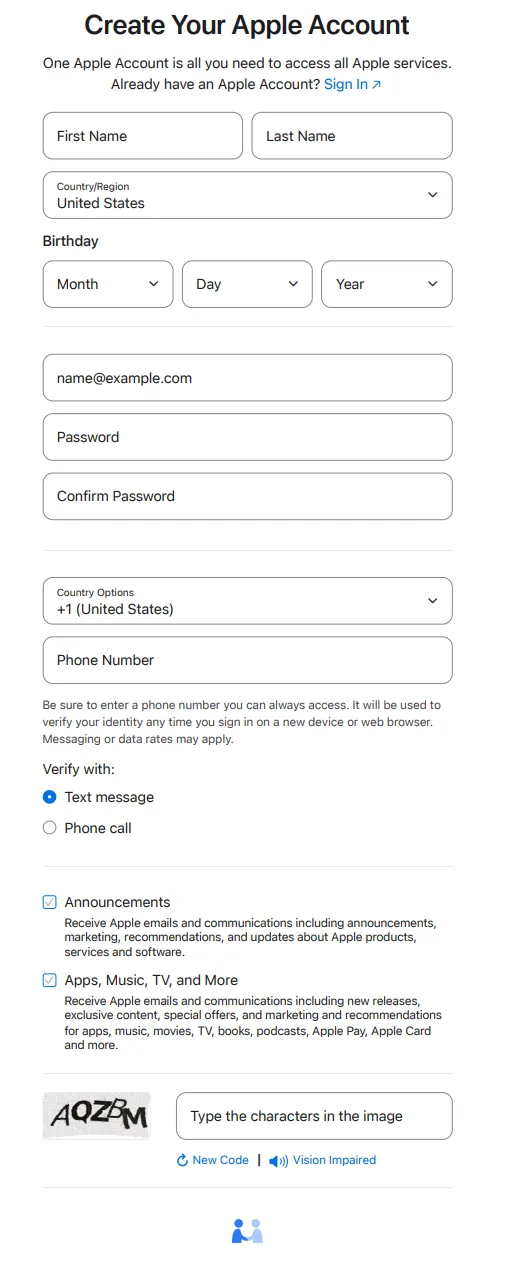
Fill in the form as prompted:
| Field | Suggestion |
|---|---|
| Name | Any name you can consistently remember |
| Country or region | Choose the [U.S. or target region] |
| Date of birth | Any date that makes the account holder over 18 |
| Use an email address that has not been used for an Apple ID | |
| Password | Use a strong password, or one you know well, and store it safely |
| Phone number | Use a number that can receive verification codes normally |
The country or region is the key part of this step. The region you choose affects the content you see in Apple services, available payment methods, billing information, and some age-verification requirements.
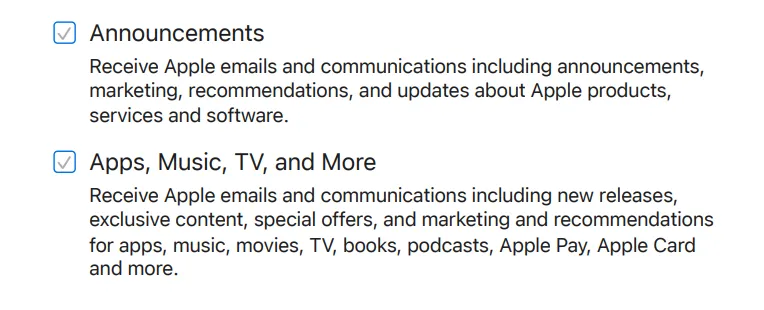
3. Choose Whether to Receive Apple Updates
The page may offer email subscriptions for Apple updates, news, software, products, and services.
This step is optional. If you want fewer emails, uncheck the boxes. If you want official Apple updates, leave them selected.
4. Complete Verification
After you click continue, Apple usually asks you to verify both your email address and phone number.
The flow is usually:
- Open your email inbox and find the verification code from Apple.
- Enter the email code on the web page.
- Receive the SMS verification code.
- Enter the phone code on the web page.
- Wait for the account to be created.
If verification codes do not arrive, check spam, SMS filtering, phone number format, browser proxy settings, and network status. Avoid repeatedly submitting the form in a short period, as that may trigger extra restrictions.
5. Sign in to Apple Account on the Web
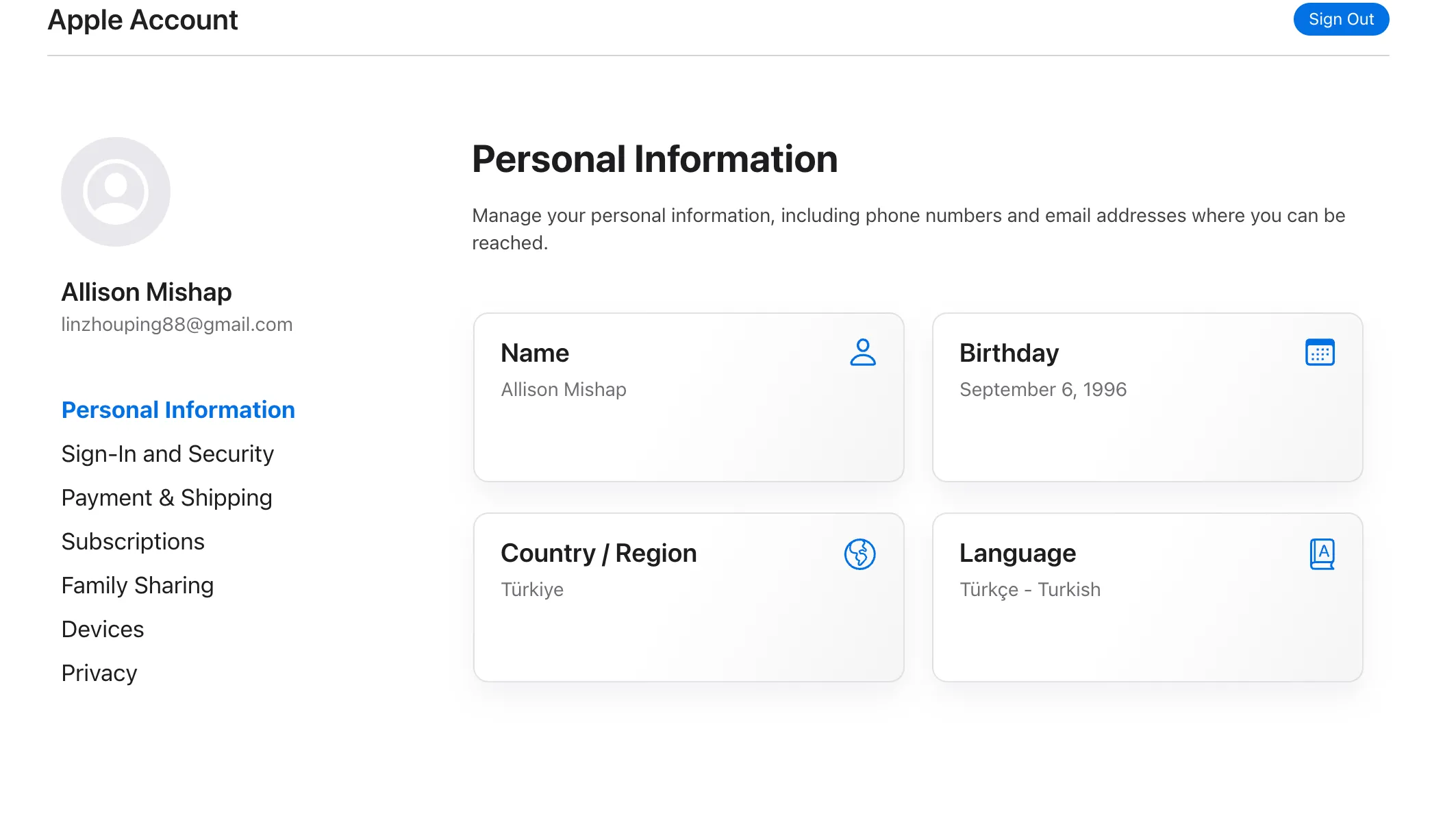
After registration, you will usually be signed in to the Apple Account page automatically.
After signing in, check:
- whether the name and birthday are correct;
- whether the country or region is the
U.S. or target region; - whether the email address and phone number are verified;
- whether account security settings are complete;
- whether two-factor authentication is already enabled or waiting to be enabled later.
6. Add Payment and Billing Information Later
Because binding a foreign bank card can be difficult, I recommend choosing None when it is available, then using gift cards instead.
7. Sign in to the App Store
Although the web account page may still show the selected country or region, the account can be sent back to your original local region when you sign in to the App Store. So the next step is to switch the App Store region first.
This method uses regional redirect links.
First, sign out of your App Store account.
iOS 26.4 and later: open the App Store, tap the Apple account avatar in the top-right corner, tap the account at the top, verify if prompted, scroll to the bottom, and tap Sign Out.
iOS 26.3 and earlier: open the App Store, tap the Apple account avatar in the top-right corner, scroll to the bottom, and tap Sign Out.
macOS: open the App Store, click Store in the menu bar, then sign out.
After signing out, do not sign in immediately. Otherwise, the account may be sent back to its original region.
Next, copy one of the links below into Safari and press Enter.
| Region | Quick redirect link |
|---|---|
| United States | itms-apps://itunes.apple.com/WebObjects/MZStore.woa/wa/resetAndRedirect?dsf=143441&cc=us |
| Japan | itms-apps://itunes.apple.com/WebObjects/MZStore.woa/wa/resetAndRedirect?dsf=143462&cc=jp |
| South Korea | itms-apps://itunes.apple.com/WebObjects/MZStore.woa/wa/resetAndRedirect?dsf=143466&cc=kr |
| Hong Kong | itms-apps://itunes.apple.com/WebObjects/MZStore.woa/wa/resetAndRedirect?dsf=143463&cc=hk |
| Nigeria | itms-apps://itunes.apple.com/WebObjects/MZStore.woa/wa/resetAndRedirect?dsf=143561&cc=ng |
| Turkey | itms-apps://itunes.apple.com/WebObjects/MZStore.woa/wa/resetAndRedirect?dsf=143480&cc=tr |
| Egypt | itms-apps://itunes.apple.com/WebObjects/MZStore.woa/wa/resetAndRedirect?dsf=143516&cc=eg |
| India | itms-apps://itunes.apple.com/WebObjects/MZStore.woa/wa/resetAndRedirect?dsf=143467&cc=in |
| Argentina | itms-apps://itunes.apple.com/WebObjects/MZStore.woa/wa/resetAndRedirect?dsf=143505&cc=ar |
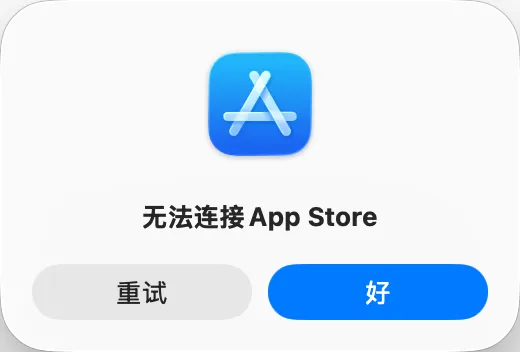
It is normal if App Store says it cannot connect after you open the link.
8. Check the Account
Finally, sign in and check whether the country or region is correct. Download a few apps to help lock the region in place, or redeem a gift card directly.
One extra note: because Apple’s region-changing policy requires the account to have no remaining balance, redeeming a gift card can be a relatively stable way to lock the region.
Usage Tips
I recommend using a regional Apple ID only for App Store downloads, app updates, and necessary regional services. It should not replace your main iCloud account.
A practical daily setup is:
- keep your main account signed in to iCloud;
- switch to the regional account in the App Store when needed;
- after downloading or updating apps, switch back to your main account.
This reduces the chance of affecting core data such as photos, backups, contacts, and Find My devices.
FAQ
Why Is There No None Payment Option?
Possible reasons include:
- the current service or region does not support skipping payment details;
- Apple requires billing information when the account first uses media services;
- the payment method, billing address, and account region do not match;
- the device, network, or account status triggered extra verification.
Web registration does not always ask for a payment method immediately. Whether None is available later when using Apple media or paid services depends on what Apple’s page shows at that moment.
Can a Regional Apple ID Use a Mainland China Bank Card?
Not always. Supported payment methods vary by country or region. In most cases, the payment method needs to match the account’s country or region. Check Apple’s official payment-method support list for details.
Can I Use It Together With My Main Account Long Term?
Yes, but I recommend switching only at the App Store level. Avoid frequently switching your main iCloud account.
Also note that apps are usually tied to the account that downloaded them. If an app was downloaded with the regional account, future updates may require signing in with that same regional account again.
What If the Account Gets Locked?
Use Apple’s official account recovery page first:
Do not keep guessing the password, and do not use third-party unlocking services.
If I Already Have an Apple ID, Can I Just Change Its Region?
Yes, you can change the country or region in account settings. Before doing so, however, you usually need to handle subscriptions, remaining balance, payment methods, Family Sharing, and related issues. Changing the region of your main account has a larger impact, so I prefer using a separate account for regional App Store needs.
Notes
- Enable two-factor authentication.
- Keep the email address, phone number, and recovery methods safe.
- Do not lend the account to other people.
- Do not buy ready-made accounts.
- Do not sign in on untrusted devices.
- For payments, subscriptions, and Family Sharing, follow the prompts shown on Apple’s official pages.
About Gift Cards
Gift cards from Xianyu are often the most convenient, but they may come with risks such as black-card issues or slightly worse exchange rates.
For U.S. accounts, you can refer to this article: A simple, safe, and reliable guide to buying and redeeming U.S. Apple ID gift cards - Zhihu, Apple Dabai
For Turkey accounts, I recommend going directly to SEAGM or Oyunfor. SEAGM supports Alipay, while Oyunfor only supports cards such as MasterCard and Visa.
References
- How to create a new Apple Account - Apple Support
- Add a payment method to your Apple Account - Apple Support
- Payment methods that you can use with your Apple Account - Apple Support
- Foreign-region Apple ID registration guide using Turkey as an example - Linuxdo
- A simple, safe, and reliable guide to buying and redeeming U.S. Apple ID gift cards - Zhihu, Apple Dabai